If you’re an enrolled agent, renewal is one of those things that’s easy to push off until you’re two days away from the yearly deadline.
Whoops.
The good news? The rules are pretty clear once you break them down. EA renewal mostly comes down to three main tasks: keeping up with your continuing education, renewing your PTIN each year, and renewing your EA enrollment on the IRS schedule. Let’s walk through it.
Key Takeaways
- Three-Part Renewal Routine: EA renewal is really CE, PTIN renewal, and a 3-year enrollment renewal working together.
- CE Has Annual Minimums: You need 72 hours per cycle, but also at least 16 hours each year, including 2 ethics hours yearly.
- Renewal Window Matters: EA renewals are submitted Nov 1 through Jan 31 for your SSN-based cycle, not whenever you feel like it.
- Use Approved CE Providers: EA CE only counts if it comes from an IRS-approved provider, so don’t waste hours on non-qualifying courses.
- Don’t Forget PTIN: PTIN renewal is annual and separate from your 3-year EA renewal, so it’s easy to miss if you’re not tracking it.
What EA Renewal Really Means
EA renewal is not one single task. It’s a routine you keep up with so you can keep practicing.
Here’s what the IRS expects you to stay in good standing:
- Renew your EA enrollment every three years (based on your renewal cycle)
- Renew your PTIN every year
- Complete the required continuing education (including ethics)
If you keep those three things on track, renewal stops feeling scary.
Step 1: Know Your EA Renewal Cycle and Window
EA enrollment is renewed every three years, and the IRS ties your renewal cycle to the last digit of your Social Security number.
The IRS renewal application window is also very specific:
- Submit renewal applications between November 1 and January 31 of your renewal year.
- Note that EA enrollment is renewed every three years, and your renewal year is based on the last digit of your Social Security number.
If an EA misses the renewal deadline, they can still renew late through July 31, but they cannot practice before the IRS until renewal is approved.
One important “don’t learn this the hard way” note: the IRS says if you submit an EA renewal application before the renewal period starts, it will not be processed. Also, renewal payments are non-refundable.
Step 2: Keep Up with Continuing Education and Ethics
This is the main part of the EA renewal process. The IRS requires:
- 72 total hours of continuing education every three years
- At least 16 hours each year
- At least 2 ethics hours each year
The IRS also frames the 72-hour total as 66 hours of qualifying CE plus 6 hours of ethics over the three-year cycle.
A Practical Way to Think About It
If you hit 24 hours per year (22 hours + 2 ethics hours), you won’t be scrambling to wrap everything up near the deadline of year three. That’s only 2 hours a month.
Use an IRS-Approved CE Provider
The IRS is clear that EAs must use an IRS-approved continuing education provider for CE to count.
Looking to find the best EA CE prep provider for you? Click the link to check out my top picks.
Step 3: Renew Your PTIN Every Year
This is separate from your three-year EA renewal, and it trips people up because it feels like one more thing to remember.
The IRS says your PTIN must be renewed every year, regardless of when your EA renewal is due.
The IRS points PTIN renewal to IRS.gov/ptin, and the maintain-your-status page notes renewing your PTIN by December 31 each year.
Step 4: Submit Your EA Renewal Application (Form 8554)
When it’s time for your three-year renewal, you’ll renew using Form 8554, which is the “Application for Renewal of Enrollment to Practice Before the IRS.”
You can submit and pay online through Pay.gov (the IRS has a specific Pay.gov flow for “Enrolled Agent Renewal Form 8554”).
The IRS form itself also spells out the timing rules again: renewal is based on the last digit of your SSN, and applications must be submitted during the official window (Nov 1 through Jan 31).
Update Contact Info
The IRS also asks EAs to keep contact information current and provides specific ways to notify the EA office if your address changes.
A Simple EA Renewal Checklist
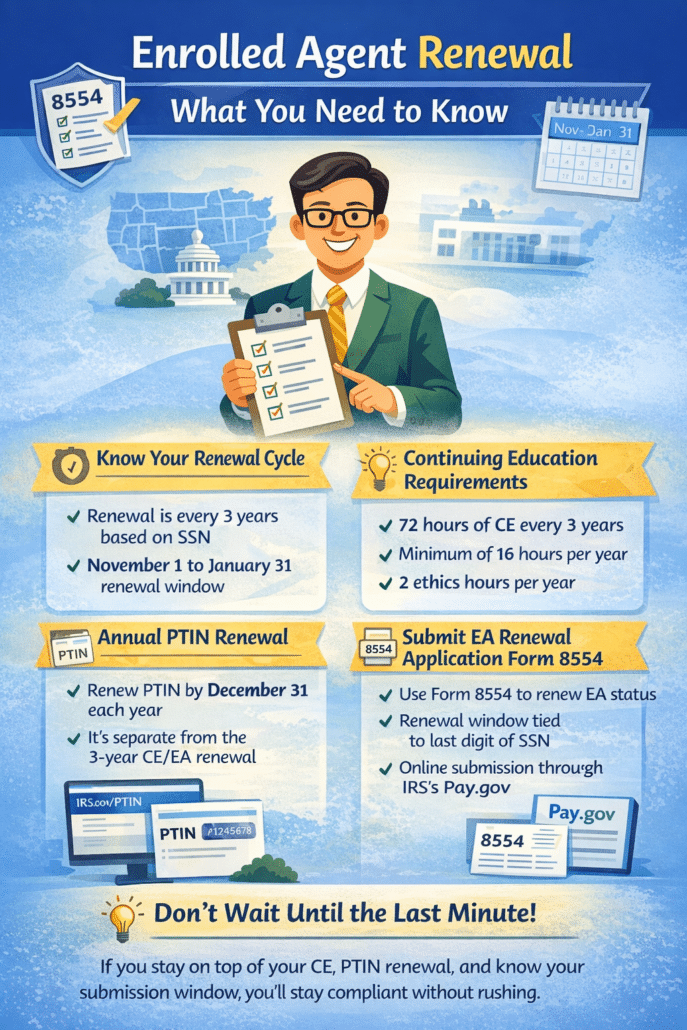
Here’s the TL;DR:
- Keep CE on pace: 16 hours per year, including 2 ethics hours
- Make sure CE is from an IRS-approved provider
- Renew your PTIN every year
- In your renewal cycle year, submit Form 8554 during the Nov 1 to Jan 31 window
- Don’t submit early, and remember, payments are non-refundable
Where EAs Make Renewal Mistakes
A few common mistakes show up again and again:
Waiting Until Year Three for CE
Technically, you can cram, but it’s miserable. Also, you still have to meet the annual minimum. The IRS expects at least 16 hours each year, not just 72 hours at the end.
Forgetting the Ethics Requirement
Ethics is not optional. The IRS breaks it out clearly, both as 2 hours per year and 6 hours per three-year cycle.
Treating PTIN Renewal Like it’s Part of the 3-Year Cycle
It isn’t. PTIN renewal is yearly.
Renewing Too Early
Submitting before the renewal period opens can delay things since the IRS says early renewals won’t be processed.
Conclusion
Enrolled agent renewal is mostly about consistency. If you keep your CE (especially ethics) on pace, renew your PTIN every year, and submit Form 8554 during the correct window for your SSN-based cycle, you’ll stay in good standing without the last-minute panic.
FAQs
EA enrollment is renewed every three years, based on the last digit of your Social Security number. You also renew your PTIN every year.
The IRS requires 72 total hours every three years. You also need at least 16 hours each year, including 2 hours of ethics.
The IRS renewal window runs from Nov 1 through Jan 31 before your next cycle begins. If you submit outside that window, it can delay processing.
You renew using Form 8554. The IRS also offers an online Pay.gov option for the renewal submission and payment.
Yes. Your CE has to come from an IRS-approved provider to count toward EA renewal requirements.